Poker Chair Guide: Comfort for Long Sessions
In poker, we often think that results come down to strategy, discipline, and hand analysis. That's true, but there's another important aspect — physical comfort.

Ilya is a Liga 2 player with six years of experience in online MTTs. He graduated from the Faculty of Journalism at RSUH and writes about poker for beginners, explaining complex things in simple, clear language. In his texts, Ilya combines his personal playing experience with his professional journalism skills to help newcomers confidently get into the game.
When your back starts to ache, your neck stiffens up, your hands get tired from holding the mouse, and your brain works worse by the end of the session, none of this does much to help your poker career. Looked at from this angle, choosing a good chair to play in becomes a necessity rather than a preventative measure.
Poor seating almost always leads to the same scenario: first we fidget and get distracted, then we start standing up more often, we lose focus, after that our decisions get simpler, and by the end of the session fatigue sets in, and with it — expensive mistakes.
That's exactly why a chair isn't about comfort for the sake of comfort, it's about consistency in the quality of your play. In this article we'll figure out which chair to choose for comfortable play and how much such an upgrade will cost you depending on your budget.

New breakdowns in your inbox
Subscribe to the FunFarm newsletter: fresh Poker ABC articles and material that helps you grow as a player.
What to pay attention to when choosing
The chair market is set up so that we're constantly promised a universal solution: "suits everyone," "perfect for your back," and so on. In practice, there's no such thing as universal. The very same model can be perfect for one person and irritating for another — simply because we have different seating, height, habits, and even the way we hold our shoulders while playing.
That's why we don't start by searching for the "best chair by ratings," but with clear logic: what exactly do we need in order to sit for a long time, not get tired, and not lose decision quality. To do this, we need to answer three questions:
1. How much time do we spend seated during a session?
If we play 1–2 hours and stand up often, a basic chair is usually enough: the main thing is that it isn't downright uncomfortable and that the seat height fits the table. In that mode, the body still manages to compensate for minor discomforts: we get up, stretch, change position.
But tournament and regular online poker are more often set up differently. When we sit 6+ hours at a monitor, the demands on the chair rise sharply.
In a long session it's important that the chair:
holds us in the correct seating position on its own, without constantly monitoring our posture
doesn't make us search for a comfortable pose every 10 minutes (that's always a signal that the load is poorly distributed)
doesn't overheat (in hot materials fatigue sets in sooner)
doesn't trigger micro-pain that imperceptibly draws away your attention.
An additional reference point that helps beginners: we figure out in advance what our breaks look like. If we have a habit of taking a short pause once an hour — the demands on the chair can be softer. If we know we'll be sitting without a break for 2–3 hours — the chair should be a level higher.
2. What's our body like: height, weight, and seating?
The chair should match our proportions. What matters isn't aesthetics, but whether the chair matches the geometry of our body and our habitual position at the table.
Height
If you're tall, you don't just need a high backrest, but one that supports precisely the zones that start to tire first: the lower back, mid-back, upper back, and neck. A common mistake is to get a chair with a high backrest but without proper lumbar support — the backrest is high, but it has nothing to hold us with.
Weight and build
If your weight is above average, what matters isn't only the permissible load in the spec sheet, but also how the chair behaves in real seating:
the seat shouldn't quickly sag and turn into a pit
the base star and frame should be stable
the tilt mechanism shouldn't wobble under load.
Hip width and seat depth
Even an expensive model can be bad if the seat is:
too narrow (presses on the sides, impairs blood flow)
too deep (presses behind the knees)
too short (we slide off and start holding ourselves up with the lower back).
A good practical reference point: when we sit correctly, there's a small gap left between the edge of the seat and the bend of the knee. Then the legs aren't pinched, blood flow is normal, and it's easier for the back to hold position.
Shoulders, arms, armrests
If the armrests are too high or too narrow, we start raising our shoulders, tensing the neck and trapezius. In poker this matters more than it seems — tense shoulders lead to fatigue faster and worsen concentration.
That's why we look not just at the presence of armrests, but at whether we can adjust them to our table height and arm position.
And one more thing people rarely think about in advance — our habits.
Some people play steadily and barely move. Some people often change pose, cross a leg over, lean forward, lean toward the monitor. If we know how we move, what matters is a chair that allows micro-movements without losing support.
If we buy a chair designed for the "average person," but we ourselves differ greatly from that average — we'll almost certainly end up with discomfort. Not because the chair is bad, but because it doesn't suit us.
3. Do we have problems with our back or neck?
If you already have pain, herniated discs, scoliosis, or chronic tension, you're forced to choose more carefully. It's important to understand two things.
First, a chair doesn't cure. It doesn't replace diagnosis, exercise, and a sensible load regimen. But it can either reduce daily stress on the problem area, or, on the contrary, increase it.
Second, "firmer = healthier" is not a rule. Some people really are more comfortable on a firmer seat. But if we have chronic problems, a chair that's too firm can force us to constantly adjust with our body — and that's a load too.
What's especially important with back and neck problems?
lumbar support should be adjustable (or at least suit us in shape)
the backrest should support the upper back, so we don't sink into the thoracic region and pull the neck forward
a headrest is useful not in the working position, but in moments of rest, when we lean back
the tilt and locking mechanism matters, because sometimes we need to change the angle of the back without destroying lumbar support.
And the key practical criterion: if after 10–15 minutes of sitting in the chair we feel like we want to stand up, shift, stretch out — that means something in the seating didn't fit. With a problem back, this will almost always intensify over the long run.
If the diagnosis is serious and there are restrictions from a doctor, it's reasonable not to guess and not to experiment, but to actually discuss the choice with a specialist: sometimes small details of the backrest or seat shape decide more than brand and price.
The main elements of a chair
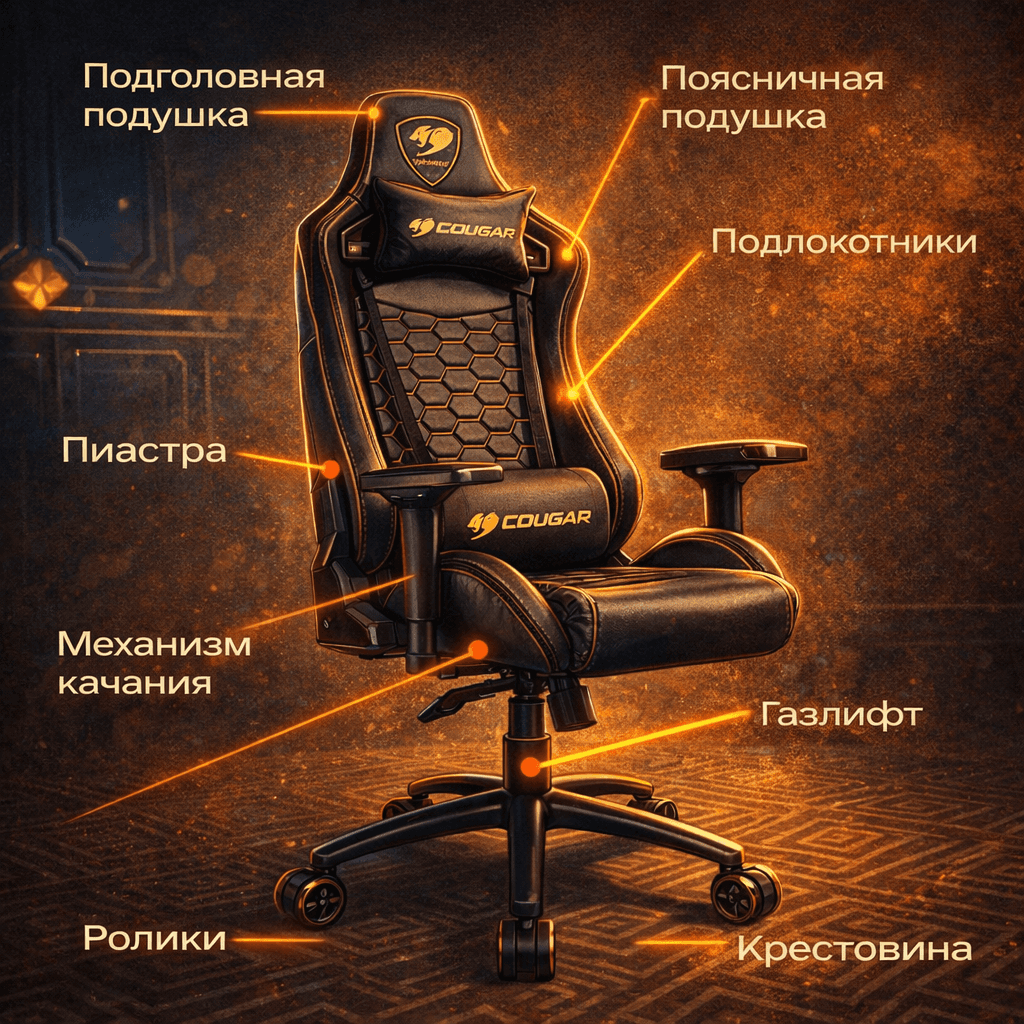
1. The backrest
The backrest is the main element, because it determines how the load is distributed across the spine.
A low backrest gives more freedom of movement, but barely supports the upper back and neck. For long sessions this is a risk: we start compensating with muscles and gradually tire.
A medium backrest already supports the back better, but often leaves the neck without support. If we play for a long time, the neck starts taking on extra strain.
A high backrest is more often suitable for long sessions: it supports the whole back and usually works better in tandem with a headrest.
An important nuance: it's not the height in itself that decides, but whether the backrest has adjustments — tilt, lumbar support, locking. A high backrest without proper shape can also be useless: it's simply high, but doesn't help hold the seating position.
2. Lumbar support
If the chair doesn't support the lower back, we start to either:
sink backward and load the spine
lean forward and overload the lower back and neck.
Good lumbar support is when we feel a soft support at the bottom of the back, but it doesn't press and doesn't force us to arch.
3. The seat
Inexperienced buyers often choose a chair on the principle of "make it soft." The problem is that a seat that's too soft quickly sags, and we end up in a position where the pelvis goes back and the lower back is overloaded.
We need a seat firm enough to hold its shape, suitable in width, and with a depth such that the edge doesn't press behind the knees.
The reference point is simple: when we sit straight, there should be a small margin left up to the bend of the knee, so as not to pinch blood flow.
4. Seat height
The correct height is when the feet rest firmly on the floor, the knees are at roughly a right angle, and we're not perched on the edge of the seat.
If the chair is too high, the legs don't rest on the floor — blood flow worsens and tension in the lower back grows.
If it's too low, the knees end up above the pelvis — again a load on the pelvis and lower back.
Learning at FunFarm, from any level
Mechanisms and adjustment
It's important to adjust the chair to our body, seating style, and session format. Even an expensive model without proper mechanisms quickly turns into a source of fatigue, because it forces us to adjust to it — rather than the other way around.
It's important to understand the basic principle: the longer we sit, the more important it is to be able to change position without losing support. A good chair lets you do this imperceptibly and safely for the back.
Let's go through the key elements that really matter.
Seat height adjustment
This is the foundation. If the height is set wrong, all the other adjustments lose their meaning.
The correct height is when the feet rest firmly on the floor, the knees are bent at roughly 90 degrees or a little more, and the pelvis doesn't sink below the level of the knees or ride up above them.
If the chair is too high, the legs dangle — blood flow worsens, numbness appears. If it's too low — the load on the pelvis and lower back grows.
Backrest tilt and the ability to lock it
Playing for a long time at the same angle is an almost guaranteed path to fatigue. Even if the seating position is initially correct, the body needs movement.
Backrest tilt adjustment gives us the ability to lean back slightly in moments of lower concentration, change the load on the spine without losing support, and relieve tension from the lower back and thoracic region.
It's important that the tilt can be locked, not just rock freely. Free rocking is fine for resting, but during play we need stability, especially when we're working at the table, holding a mouse and keyboard.
Lumbar support
The lower back is the zone that tires first. This is exactly where most problems begin during long sitting.
Good lumbar support takes part of the load off the muscles and helps us not slide forward during the session
Armrests with proper adjustment
Armrests are often underrated, even though they're exactly what affect the shoulders, neck, and arms. If the armrests are too high — the shoulders are constantly raised. If too low — we start to "hang" on the muscles of the arms and neck.
Properly adjusted armrests let the arms rest relaxed, take the load off the shoulder girdle, and help maintain a stable seating position at the table.
The minimum we need:
height adjustment
sufficient width
the ability to spread the armrests outward.
Advanced models add depth adjustment, inward/outward rotation, and the ability to slide the armrests back to fit under the table.
A selection of chairs by budget
Below is the logic of the choice and a few models that are often found on the market. Prices fluctuate, so we treat the ranges as a reference point, not as a fixed figure.
Up to ₽15,000
In this budget we usually choose a chair as a "reliable base": decent height, clear seating, minimal wobble, an acceptable seat. Some models will lack fine adjustments — that's normal, we just honestly understand the limitations.
CHAIRMAN 279
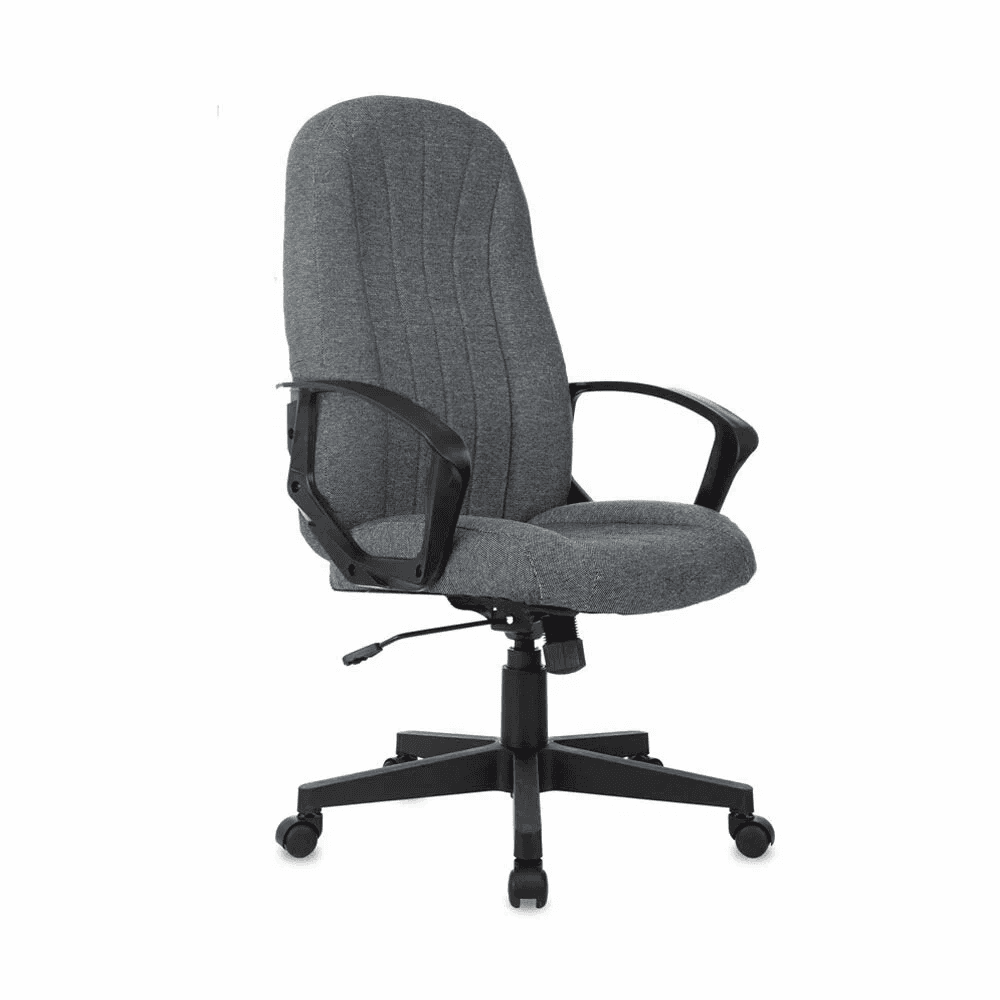
What we usually get in such models:
simple construction
basic seating
limited fine-tuning for the back
According to listings on Yandex.Market, this model has offers in the range of around ₽11,000–15,000, and a maximum load of up to 100 kg is also indicated.
How we use such chairs correctly: if we have long sessions, we compensate for the budget with organization — we add a footrest if needed, raise the monitor, do short stretches more often.
₽15,000 – ₽30,000
This is the budget where you can already find models with proper seating and more adequate mechanisms. This is most often where you get the optimal combination of price and quality.
AeroCool Duke
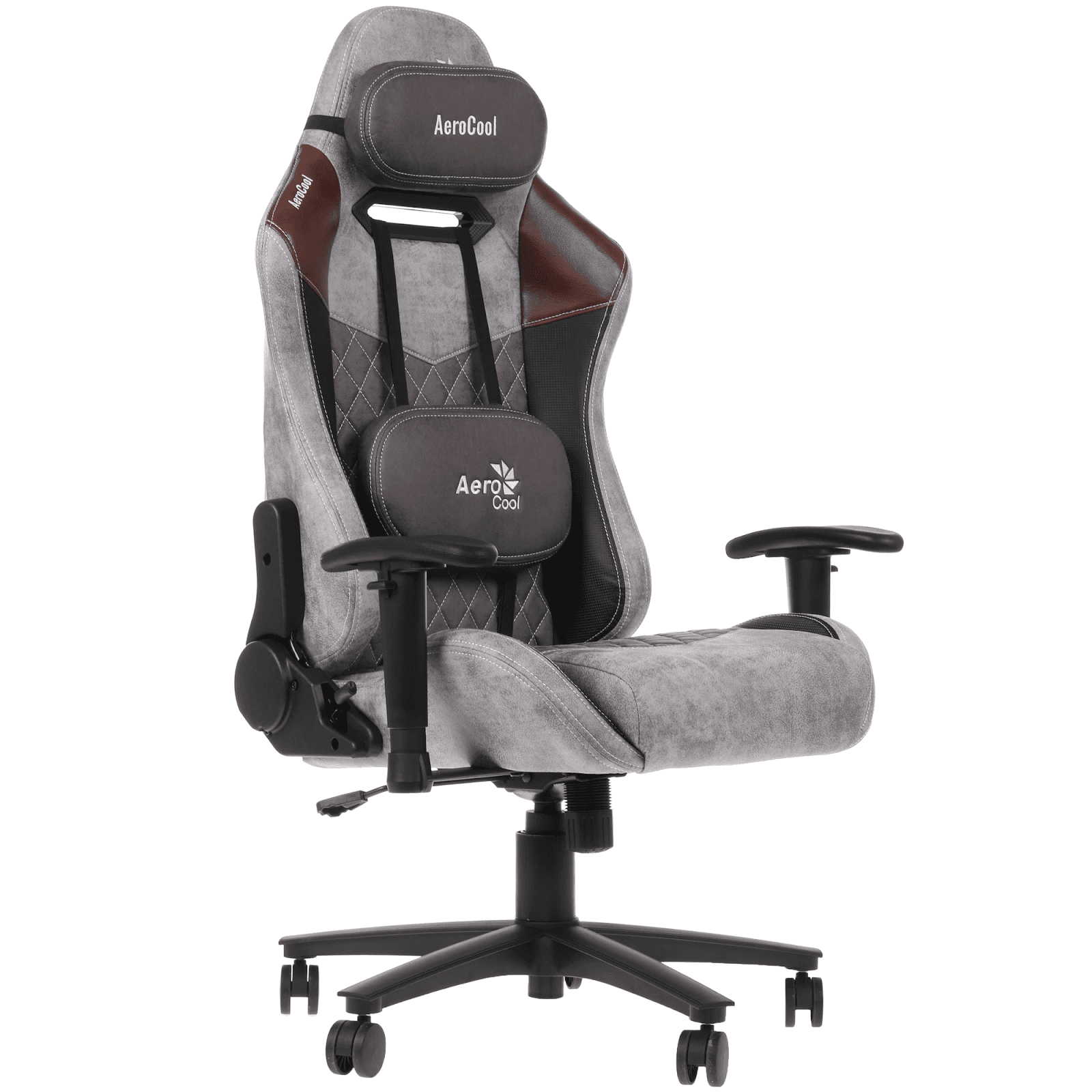
This is a gaming model that's great for long sessions thanks to its high backrest, pronounced shape, and set of adjustments. By offers from major retailers, the model is found in the mid-range budget.
The pluses for us as poker players:
high backrest (the upper back tires less)
the seating supports the torso and reduces the urge to slouch
armrest and tilt adjustments are more common.
How we check before buying: we sit down and see whether the shape of the side bolsters presses into the hips and shoulders. In gaming chairs this is a common point of mismatch with anatomy.
Cougar Armor S
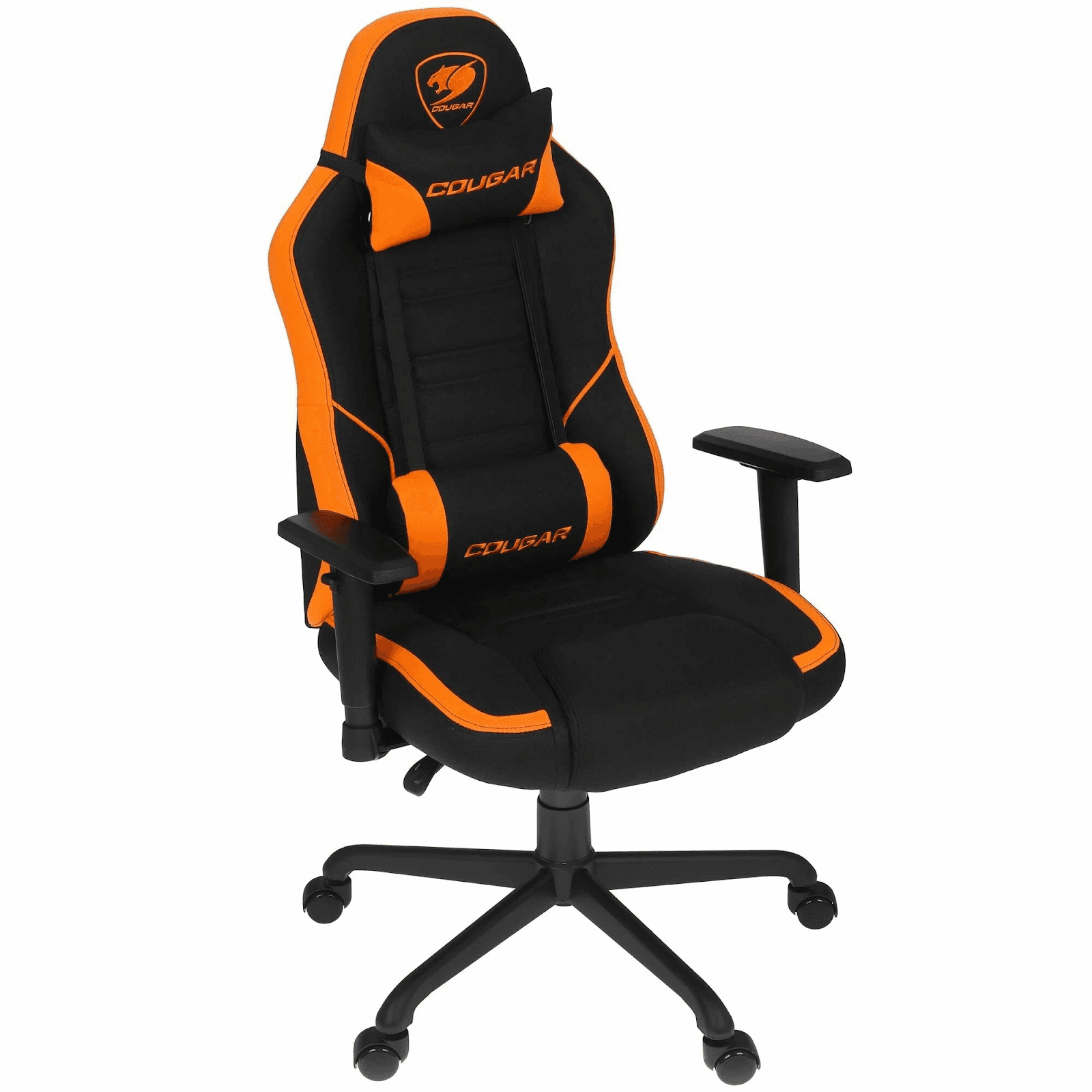
These models are often bought for their firm seating, stability, and visually clear ergonomics. But we always remember: the gaming format doesn't suit everyone, because the shape can be rigidly fixed.
Our logic: if we're comfortable sitting straight already in the store/while trying it on — that's a good sign. If it's uncomfortable right away, after 3–4 hours it will be worse.
₽30,000 – ₽60,000
In this segment, higher-quality mesh and fillings appear more often, along with more precise lumbar support and adjustments that really change the seating and help avoid physical discomfort during sessions.
Metta Samurai
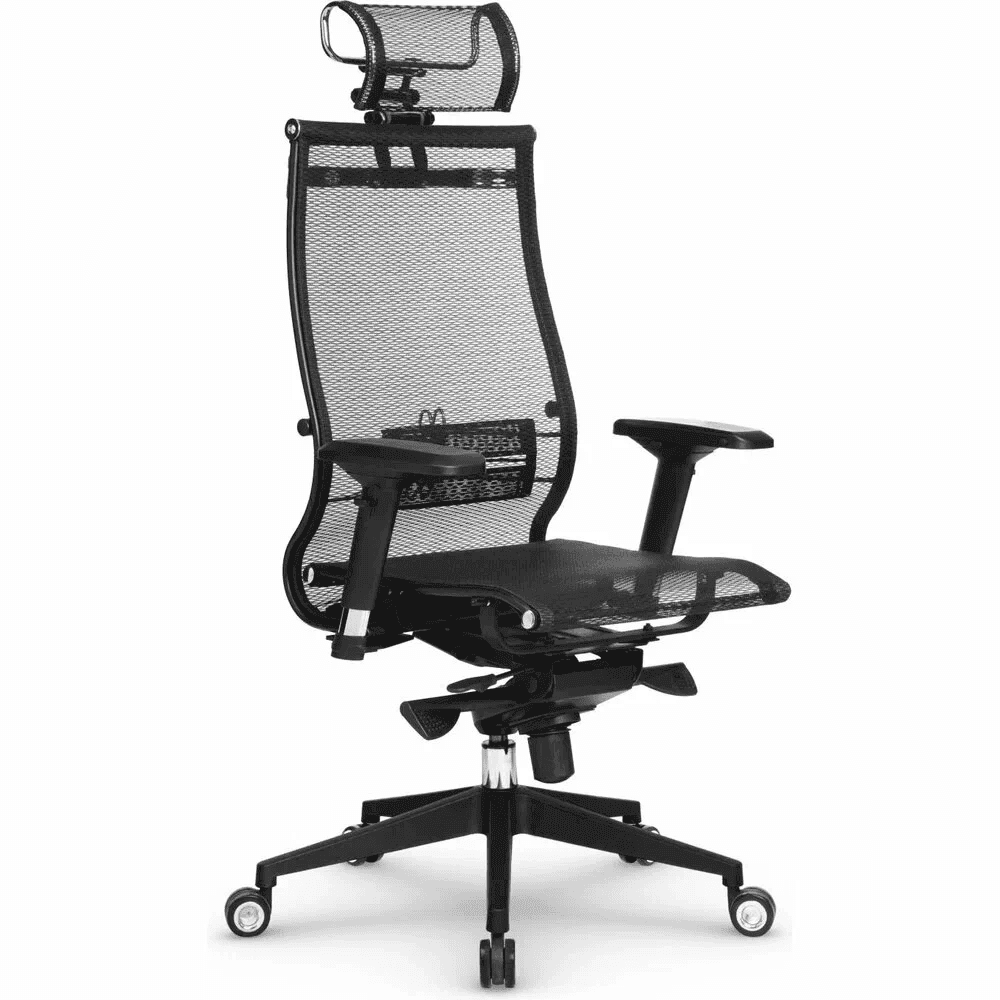
Samurais are often chosen for the mesh, ventilation, and emphasis on back support.
What we usually like about this type of chair:
mesh handles long sessions better (less overheating)
the seating is more often closer to office ergonomics
you can fine-tune lumbar support more precisely.
Ergohuman
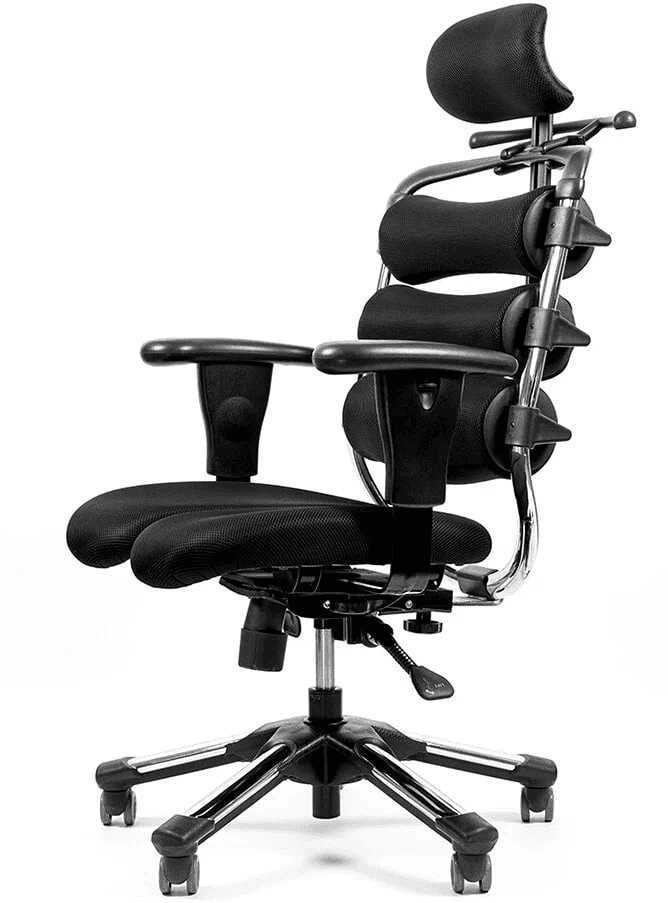
This brand is often seen as the next step after a "simply comfortable chair," because the models adjust better and hold the seating position more consistently.
Sources on the model/line usually indicate a mesh format and extended adjustments; the offers encountered and feature descriptions depend on the version.
Why this is important specifically for poker: we spend less effort holding our pose. The chair sort of does part of the work for us — and this directly affects fatigue by the end of the session.
More than ₽60,000
This is the segment where a chair will solve the question of comfortable play for many years. Here we usually look at the warranty, material lifespan, and precision of the mechanics.
Herman Miller Aeron
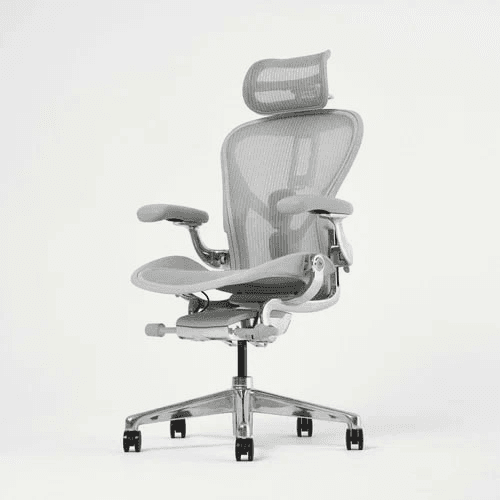
The Aeron is one of the most well-known ergonomic models, most often in a mesh format, with a developed support system. The brand has various sizes and configurations, and that's exactly what matters: the chair can be matched to your height and seating. Specs and configurations depend on the version and market.
Our logic in this budget: we don't buy the most expensive one, but the one that best fits our seating. And we definitely check whether the mesh and lumbar support suit us specifically.

How we choose a chair in the store or on delivery
First impressions often deceive: almost any chair seems comfortable if we simply sit in it. Our task is to understand how it behaves after 10–15 minutes and how it interacts with our body, rather than with advertising promises.
Below is a sequence of actions that helps weed out unsuitable models already at the testing stage.
Step 1. Immediately adjust the seat height
We start with the basic thing — seat height. What we check: the feet rest fully on the floor, the knees are bent at roughly 90 degrees or a bit more, there's no pronounced pressure under the thighs, especially closer to the knees.
Important: we don't "get used to" the wrong height. If the chair can't be adjusted to our legs right away — there's no point in looking further.
Step 2. Sit straight and check the shoulders
After adjusting the height, we sit in the working pose: the back touches the backrest, the shoulders are relaxed, the arms rest naturally, without tension.
It's important that in a neutral pose we don't have to hold ourselves up with our muscles. A good chair supports the position effortlessly.
Step 3. Check the lumbar support
The lower back is the key zone for long sessions. We shouldn't have to arch, search for a point of support, tuck a hand under, or try to reach the backrest.
The lumbar support should hit the natural curve, feel soft but firm, and not push us forward or press too hard.
Step 4. Give the chair time: 5–10 minutes without moving
This is the most important stage, which is often skipped. We sit for 5–10 minutes in a calm pose and observe whether the urge to slide forward appears, whether we want to tuck a leg up, whether we're drawn to lean or change position due to discomfort.
If the body is already looking for workaround poses — the chair isn't right. In long sessions this will lead to constant fidgeting, fatigue, and pain.
Conclusion
A chair isn't an accessory and isn't an interior-decor purchase. For poker it's part of our work system — like the monitor, like the desk, like the session schedule and rest.
When we choose a chair correctly, we win not through looks or status, but through consistency: less pain, less fatigue, more steady decisions where mistakes from discomfort used to begin.
If we want to grow as players, we learn to think systematically: strategy, discipline, working on our game, and the conditions in which we carry out that game.
For poker to fit organically into your lifestyle, submit an application to our fund.
Free course · FF Start
Choose your tools wisely
Find out which software a beginner really needs and at what stage it starts to pay off.
Frequently asked questions
Read next

Healthy sleep for poker players: how to fix your routine

Brain Food for Poker Players: The Top Foods to Sharpen Focus and Cognitive Performance

Sports for Poker Players: Best Picks for Focus